
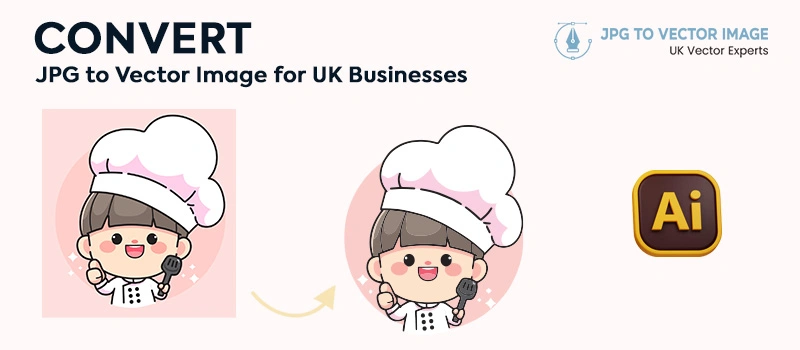
Old blurry logo is a common problem for many UK businesses. When you try to print those blurry logos, it looks terrible. A logo that looks okay on a website suddenly looks blurry on a banner. To get the best quality, you need a vector file. But you may have a small JPG saved years ago.
Don’t worry, we can assist you with how to convert JPG to vector image for UK businesses. JPG files lose clarity when you print or zoom in on them. Vector files are built using precise paths. You can scale them to any size without losing sharpness.
Which UK Business Needs JPG to Vector Conversion?
JPG to vector conversion is essential for many industries across the UK. Businesses that rely on printed materials, branded products, and large-format graphics need proper vector files. It’s a mandatory requirement. Otherwise, your brand identity will look blurry on printed materials and large screens. It’s mostly needed for print & signage companies.
Large-format printers producing banners, shopfront posters, flyers, and vehicle graphics require clean vector files. It’s also needed for embroidery & garment decorators, screen printing, promotional Product Suppliers, marketing, and creative agencies. Many UK businesses only have an old JPG version of their logo. To update their marketing materials, they need JPG to vector conversion services.
Easy Tutorial of How To Convert Jpg to Vector Image for Uk Businesses
Step1: Create A Canvas in Adobe Illustrator
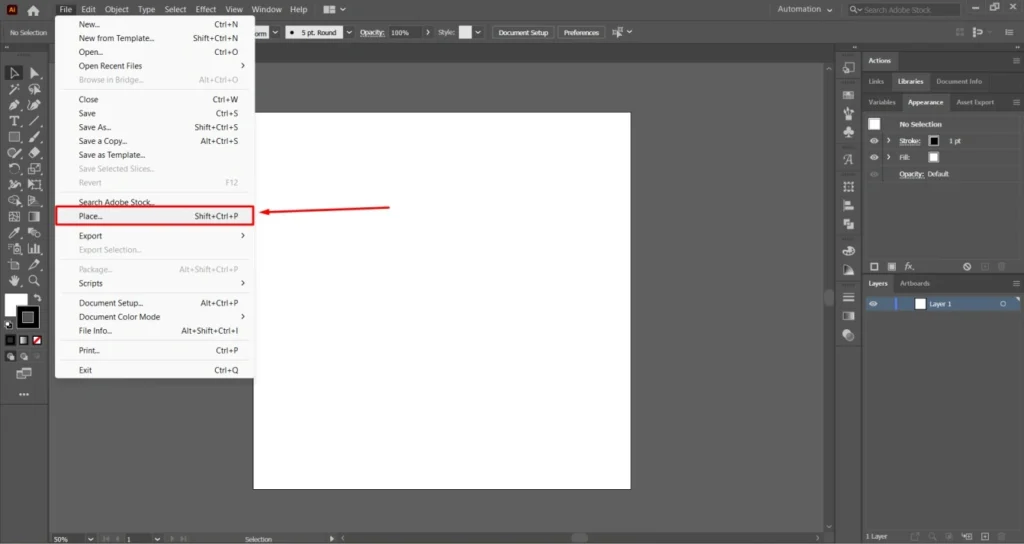
Firstly, we are going to start with creating a canvas in Adobe Illustrator. You have to set the canvas size based on your requirements. Go to the place option from the file to choose the JPG image file.
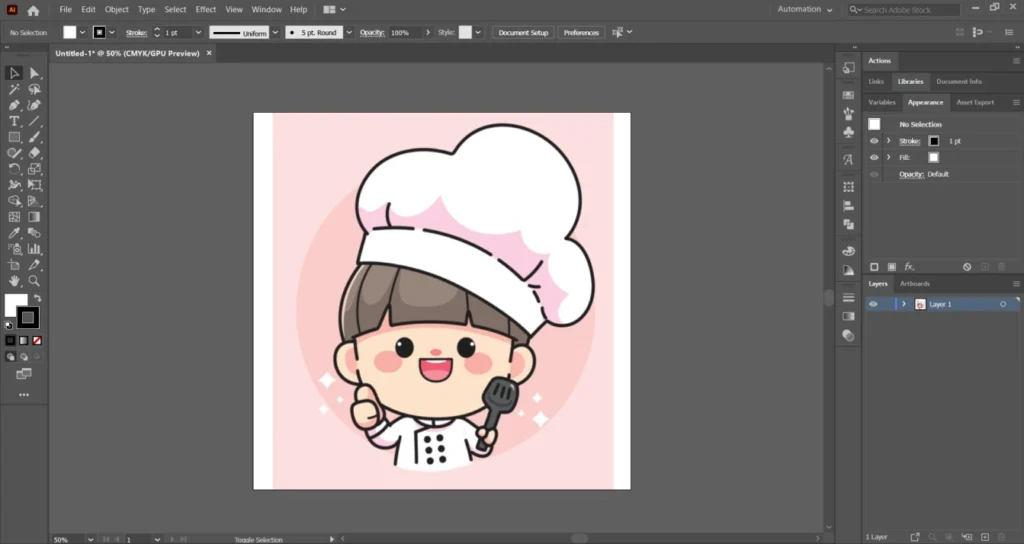
After that, place the image in the Canvas. We are going to proceed with this image.
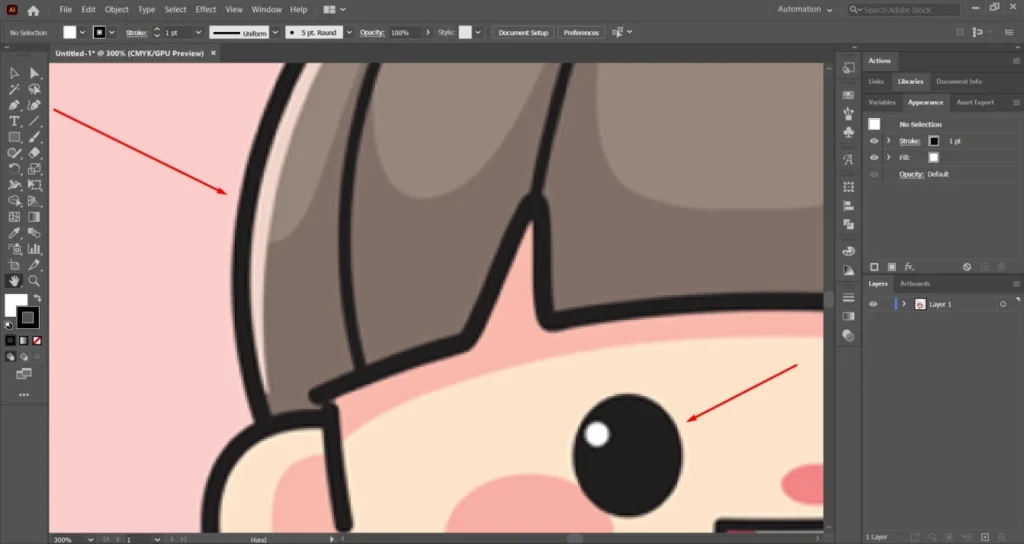
As we can see, the image looks very blurry. It’s not suitable for professional use. We can not use it for printing and large screen displays.
Step 2: Duplicate The JPG Image
We are going to duplicate the JPG image by pressing ALT and clicking on the image. The reason is to create a reference point so that we can compare the result with the original image.
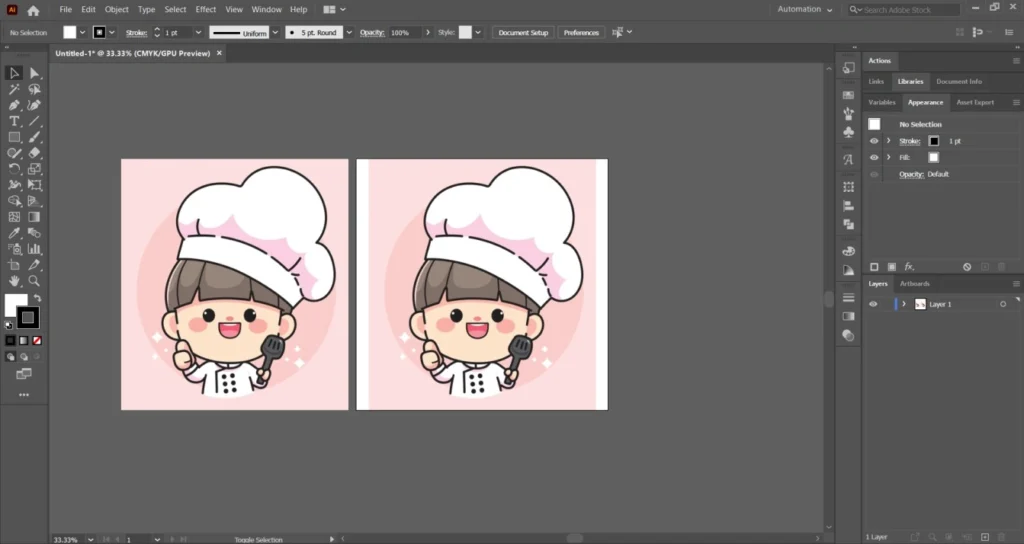
Now, we will work on the image to create vector paths based on the original image.
Step 03: Image Trace
In this process, we have to trace the image. Click on the image trace option from the top and choose the default option.
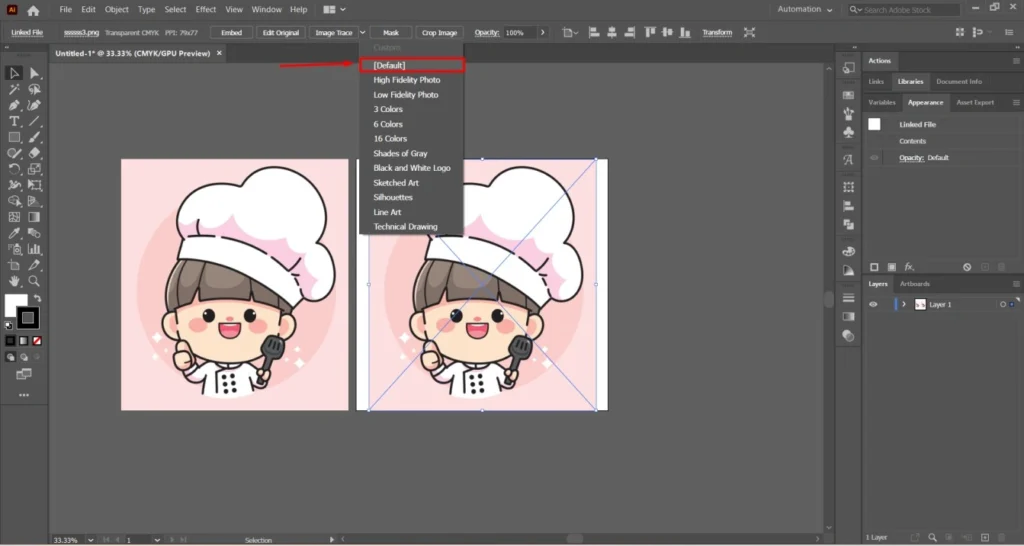
It will trace the image into a black and white version. Click on this option to get the image trace options menu.
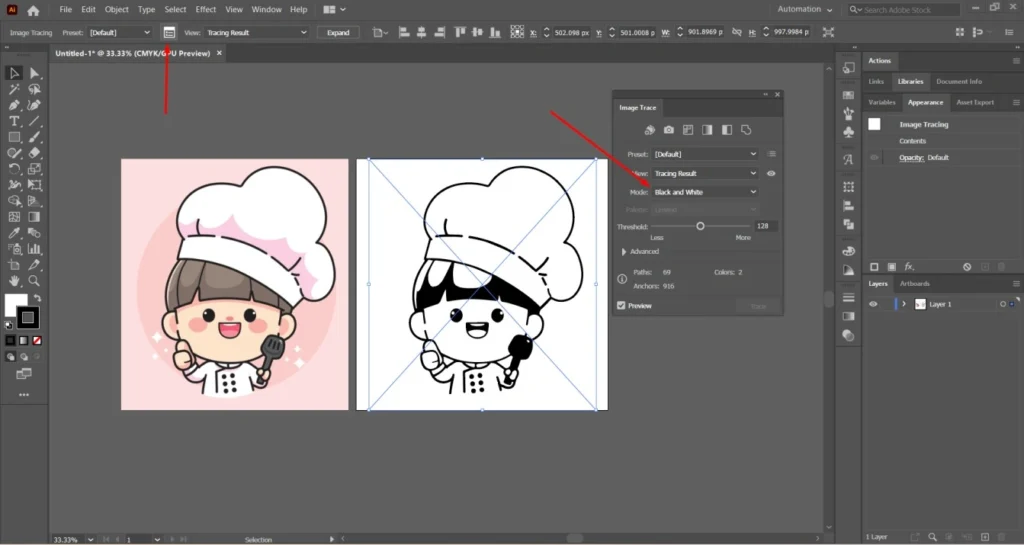
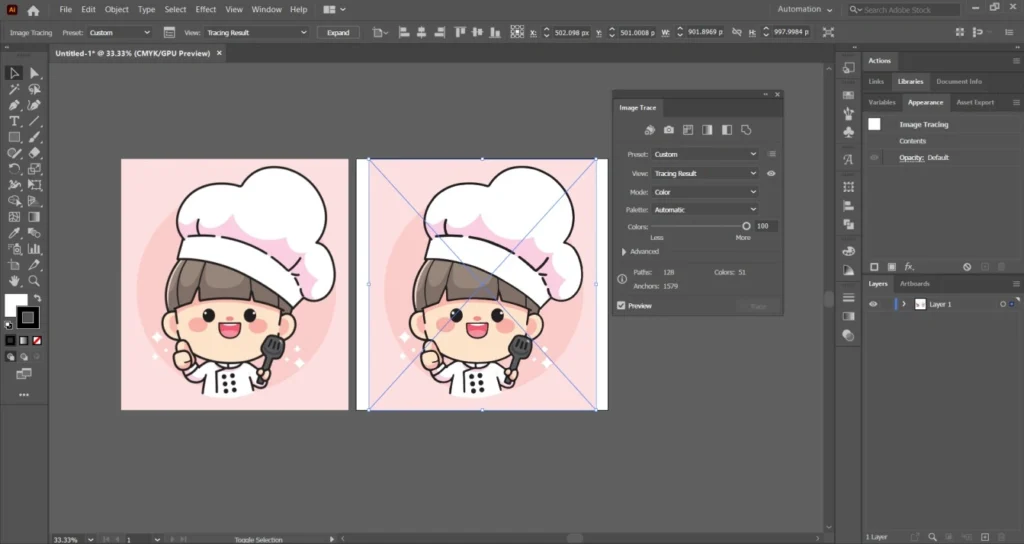
At this point, click on the “black and white” mode and change it to color. Set the palette to Automatic and choose the color to 100. Here’s the result.
Step 04: Expand The Tracing Result
Let’s have a closer look at the tracing result.
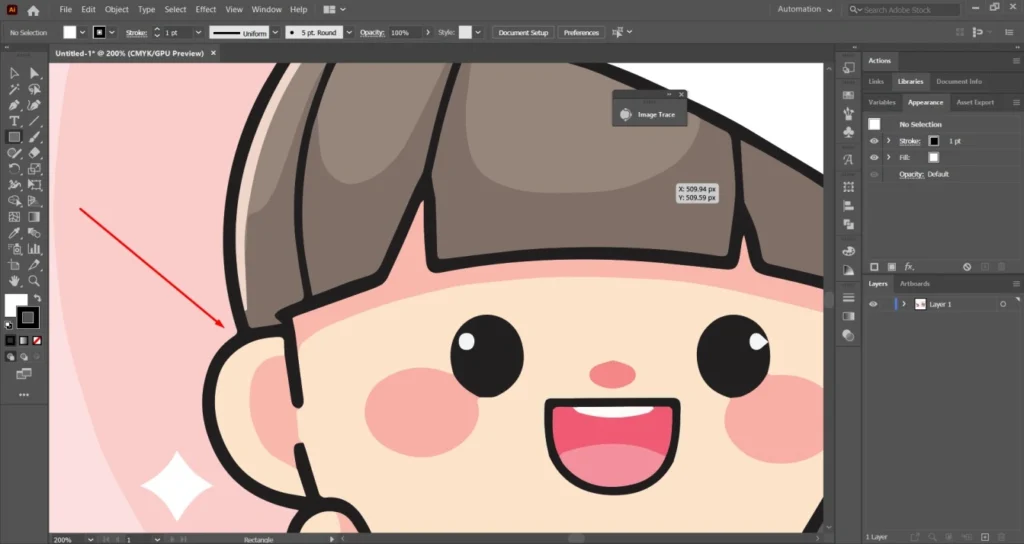
The image looks sharp. The tracing is looking perfect. All we need to do is to expand the tracing result. Click on the expand option from the top, and you will get the vector form of the image.
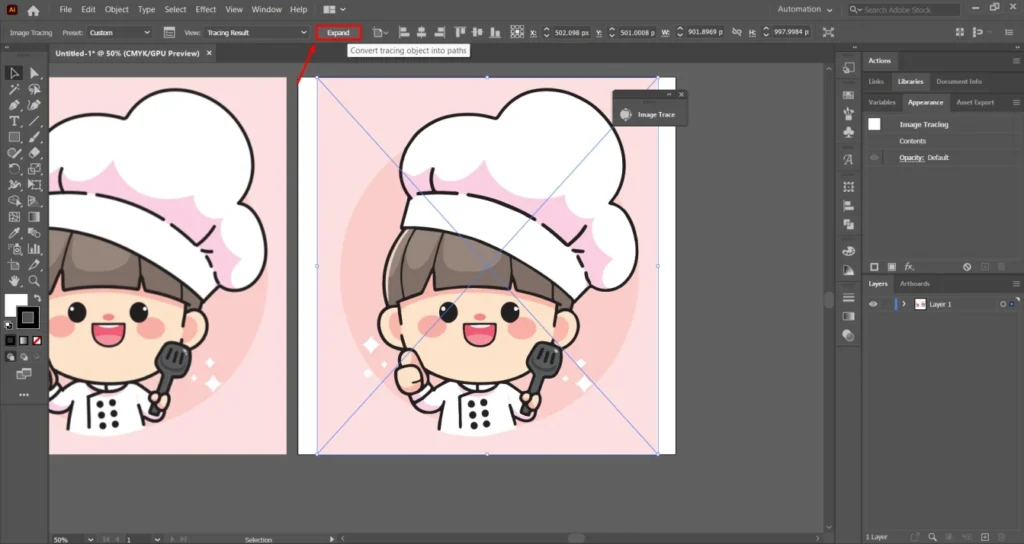
The vector image on the right side has a crystal clear quality compared to the left side jpg image.
Step 05: Make Adjustments
Click on the direct selection tool and select the entire image to get the path view. If you find that some parts of the image are not perfect as per the original image, you have to change that particular area. I want to erase the background area outside the circle.
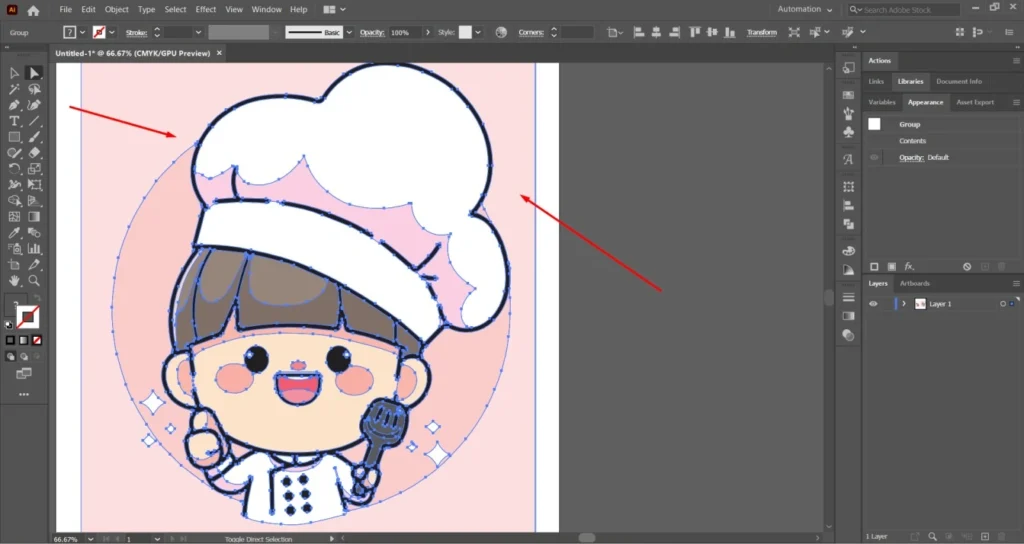
Click on those areas and press the delete key. It will remove those selected anchor points.
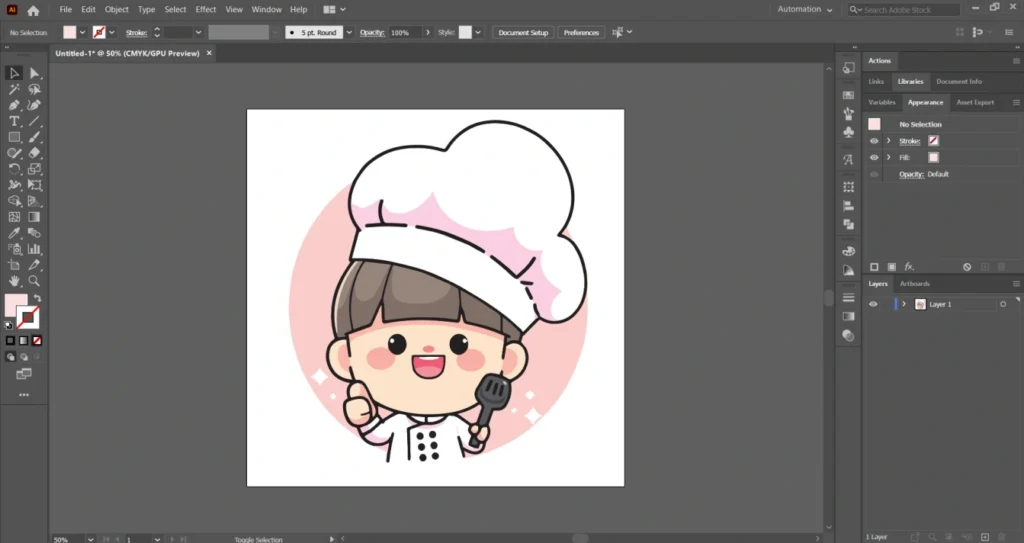
If you want to keep the background white, you can save it as it is. To make the background transparent, we have to follow another step.
Step 06: Make Transparent Background
Logo with a transparent background is a better choice for UK businesses. You can easily place the logo on any background. Go to the view option from the top and enable the show transparency grid option.
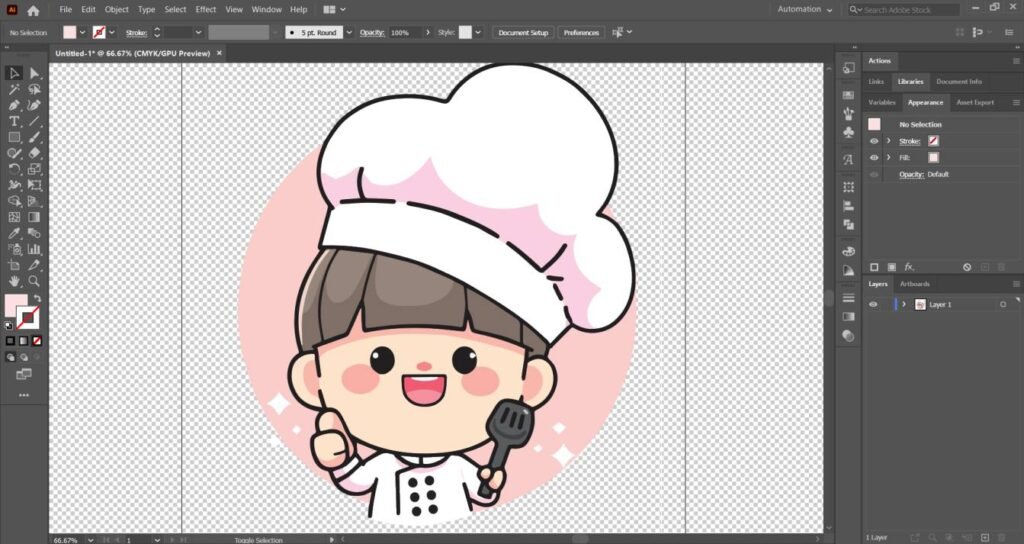
That’s the final result. Go to the file option from the top and save the image as AI or EPS as needed.
JPG TO VECTOR IMAGE CONVERSION: Before/After Comparison
Before After Image
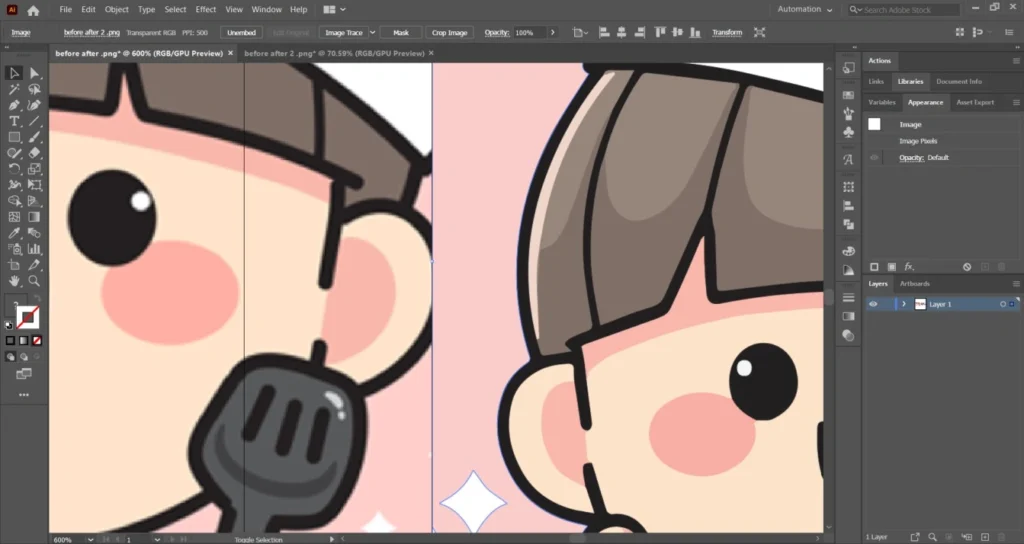
We have successfully converted the old JPG to vector image for UK businesses. Following the same method, you can convert any old blurry JPG images to a perfect vector image. Now, the vector file is ready to use for any platform. Also, you can use it for high-quality printing.
Common Mistakes UK Businesses Make
Relying on low-resolution JPG files is the biggest mistake for UK businesses. It won’t hold up on a shop sign, banner, and exhibition stand. It damages your brand reputation.
Many businesses send artwork in RGB format, but print suppliers require CMYK. This results in colours looking dull from the original brand guidelines.
Some UK printers specifically need AI, EPS, or press-ready PDF files. Submitting a JPG image file will delay printing. It requires corrections at the later stages.
Digital display and print production are very different. Just because an image appears clear on a monitor doesn’t mean it will scale properly for large-format printing. You must need a vector file for that.
Wrap Up
Having the right vector format is a reflection of your brand’s professionalism. An old JPG leads to printing issues, colour inconsistencies, and unnecessary delays. A properly created vector file ensures your logo remains perfect for everything.
Professional vector conversion is a smart step toward protecting your brand image. It avoids costly production mistakes in the future. Do you need the best possible accuracy? Our highly skilled vector designers are available to assist you.
FAQ’s
How do I turn a JPG into a vector?
You can use Adobe Illustrator’s Image Trace feature for auto-tracing. Also, you can get our professional service to manually recreate the image as a clean vector file.
What is the best JPG to vector converter?
For professional results, manual conversion in Adobe Illustrator is best. Auto-trace tools are quick but they produce inaccurate vectors.
Can Canva convert JPG to vector?
No, Canva can not convert JPG files into editable vector formats like AI or EPS. It works mainly with raster graphics.
Does converting JPG to SVG improve quality?
Not at all. Just changing the file format does not improve quality. The image must be properly vectorised to become scalable without losing clarity.
Can I vectorize an image for free?
Yes, some online tools offer free auto-tracing. But the results are low quality for most of the image. Professional manual tracing delivers far better accuracy.
How do I convert a jpeg to a vector file in Illustrator?
Open the JPEG in Illustrator, use Image Trace, expand the result, and clean up the paths manually for a professional-quality vector file.